You type in a familiar web address, press Enter, and instead of the page you expected you get a blank screen, an access error, or a message saying your connection was refused. When this happens on a site that worked yesterday, one common explanation is that the site is turning your connection away at the door. That leads to the practical question behind this guide: can i unblock my ip address, and if so, what actually works? The encouraging answer is that many IP blocks are temporary, mistaken, or tied to an address you can legitimately change — and this article walks through the checks and fixes in a sensible order.
What an IP Block Actually Is
Every device that connects to the internet is identified by an IP address, a numerical label your internet provider assigns to your connection. When a website decides that traffic from a particular address looks abusive — too many rapid requests, repeated failed logins, spam-like behaviour — it can add that address to a blocklist. From then on, the site’s server simply refuses to answer when your address comes knocking.
Think of it as a venue keeping a list of faces at the door. The ban is not aimed at you personally; it is aimed at the number your connection is wearing. That distinction matters, because it explains both why innocent people get caught (addresses are shared and recycled) and why several of the fixes below work at all.
First, Confirm That an IP Block Is Really the Problem
Before changing anything, rule out the ordinary faults that imitate a block. Try two or three unrelated websites: if nothing loads, your connection itself is down. Then try the problem site on a different device and, if you can, on a different connection such as mobile data with Wi-Fi switched off. If the site loads fine elsewhere but never from your home connection, an IP-level block moves to the top of the list.
Error wording helps too. Messages about forbidden access, refused connections, or your IP being flagged point towards a block, while other codes point elsewhere — our explainer on what the 1337x error code 1006 means shows how one common access error works. Jot down the exact message and the time you saw it; you will want both if you end up contacting the site.
Restart Your Router and Pick Up a Fresh Address
Most home internet connections use dynamic addresses, meaning your provider hands you a different IP from its pool from time to time. A restart of your router or modem is the simplest way to invite that change: switch the equipment off, wait a full minute or two (longer breaks, even overnight, raise the chances), then power it back on and let it reconnect.
Once you are back online, check whether your public IP has actually changed — any “what is my IP” search result will show the current one, and you can compare it with the address you noted before restarting. If the number is different, try the blocked site again. Because the block was aimed at the old address, a genuinely new address often restores access immediately. If the number stayed the same, your provider may assign addresses more stickily, and the next sections matter more.
Let Short Blocks Expire on Their Own
A large share of IP blocks are automatic and brief. Security systems routinely throttle or block an address for minutes or hours after behaviour that merely looked suspicious — refreshing a page dozens of times, a browser extension hammering a server, or a burst of mistyped passwords. These blocks are designed to cool off on their own.
If nothing about your situation is urgent, waiting is a legitimate fix rather than a surrender. Avoid repeatedly retrying the site while you wait, since constant new attempts can restart the timer on some systems. Check back after a few hours, and again the next day. If access returns by itself, you have learned the block was temporary — and it is worth reading our companion piece on whether IP bans are permanent to understand which kinds expire and which do not.
When a Shared or Recycled Address Is the Real Culprit
Sometimes the address you were handed was already in trouble before it reached you. Providers recycle addresses constantly, so the block you inherited may have been earned by a previous customer. The same applies to shared connections — offices, schools, cafés and mobile networks route many people through a small pool of public addresses, and one person’s behaviour can get an address flagged for everyone behind it.
Signs you are in this situation: the block existed the very first time you ever visited the site, and other people on the same network see it too. A router restart (above) may solve it by moving you to a clean address. If the address never changes or the block follows every address your provider gives you, the problem has outgrown home fixes, and it is time to talk to people.
Contact the Website or Your Provider
When a block is wrong, the fastest route to a real fix is often a polite message. Most sites offer a contact form, a support address, or a status page. Explain briefly that your access stopped, give the date and time it started, quote the exact error message, and mention that you are a regular visitor on a home connection. Site operators lift mistaken blocks regularly — false positives are a known cost of automated protection, and a calm, specific report makes yours easy to verify.
Your internet provider is the second port of call. If your address seems permanently flagged on several unrelated services, tell the provider; support staff can sometimes move your connection to a different address or confirm whether the block originates on their side. Either way, the record of your report exists if the problem recurs.
How a VPN Changes the Address a Site Sees
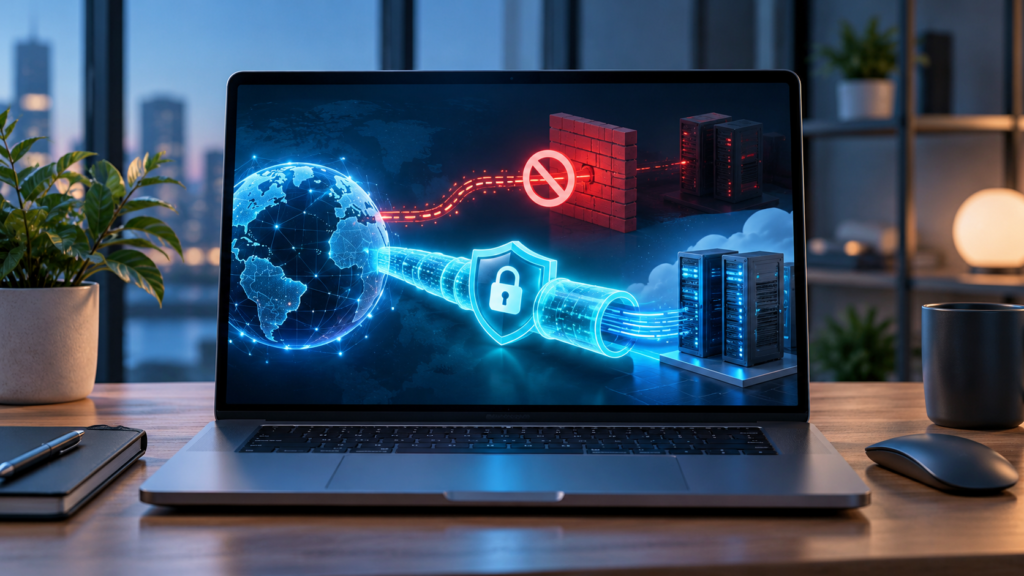
A VPN routes your traffic through its own server, so websites see that server’s address instead of your home one. That is why a blocked site may load normally while a VPN is connected: as far as the site is concerned, a different visitor has arrived. This works as a diagnostic as much as a remedy — if a site loads through a VPN but never directly, the block is almost certainly attached to your home address.
Used this way, a VPN simply changes which network door you knock on; it does not change your account status on a service, and sites that blocked an account rather than an address will still refuse you. Treat it as one tool among several, and try the address-renewal and contact routes first, because those fix the underlying record rather than routing around it.
Habits That Keep You Off Blocklists
Once access is back, a few habits reduce the odds of a repeat. Keep the number of automatic page refreshes, aggressive browser extensions and bulk tools pointed at one site modest, since request floods are the classic trigger. Be careful with shared or public networks for sensitive accounts, and slow down after a couple of failed login attempts instead of guessing repeatedly. Finally, if a security warning page ever tells you your traffic looked automated, take it seriously once — systems often warn before they block.
Frequently Asked Questions
How long does a temporary IP block usually take to clear on its own?
Most automatic blocks last somewhere between a few minutes and 24 hours, depending on how strict the site’s security system is. Blocks triggered by failed logins tend to be shorter; blocks tied to heavy request floods can run longer. If a block is still in place after two full days, it is probably not a short automatic one, and contacting the site is the better move.
Why did my IP get blocked when I did nothing wrong?
Because blocks attach to addresses, not people. Your provider may have recycled an address that a previous customer got flagged, or you may share a public address with many other users on a mobile, office or public network — and someone else’s behaviour earned the block. Automated systems also make mistakes and occasionally flag ordinary browsing that merely resembled a bot’s pattern.
Does restarting my router always give me a new IP address?
No. Most home connections are dynamic and a restart often produces a new address, but some providers assign the same address back, especially after only a brief restart. Leave the router off for a longer stretch, compare your public IP before and after, and if the number never changes, ask your provider — some connections use a fixed address that only they can alter.
Is the block on my account or on my IP address?
Try signing in from a different network, such as mobile data. If your account works there, the block sits on your home IP address. If the same refusal appears everywhere, including on other people’s connections, the restriction is probably attached to the account itself, which is a different problem that only the service can resolve.
What if the block comes from my internet provider instead of the website?
Provider-side blocks affect a specific service from every device on your connection, while the site itself works for people on other providers. Test the site through a phone on a rival network or ask a friend elsewhere to try it. If it works for them but never for you, report it to your provider with the exact error and times — routing and filtering faults on their side do happen and are theirs to fix.
Conclusion
In most everyday cases, yes, you can unblock your IP address — or, more precisely, you can escape the address that is blocked. Confirm the problem really is a block, renew your address with a router restart, give short automatic blocks time to expire, and escalate to the site or your provider with specifics when the block is mistaken or inherited. Understanding that the ban follows a number, not a person, turns a frustrating dead end into a short checklist — and most people get their access back by the end of it.